
<img src="https://secure.seat6worn.com/219576.png" style="display:none;">

Demand Generation

Pipeline & Sales Activation

7 min read

Why Most SMBs Using HubSpot Need Admin Support (and Don’t Know It)

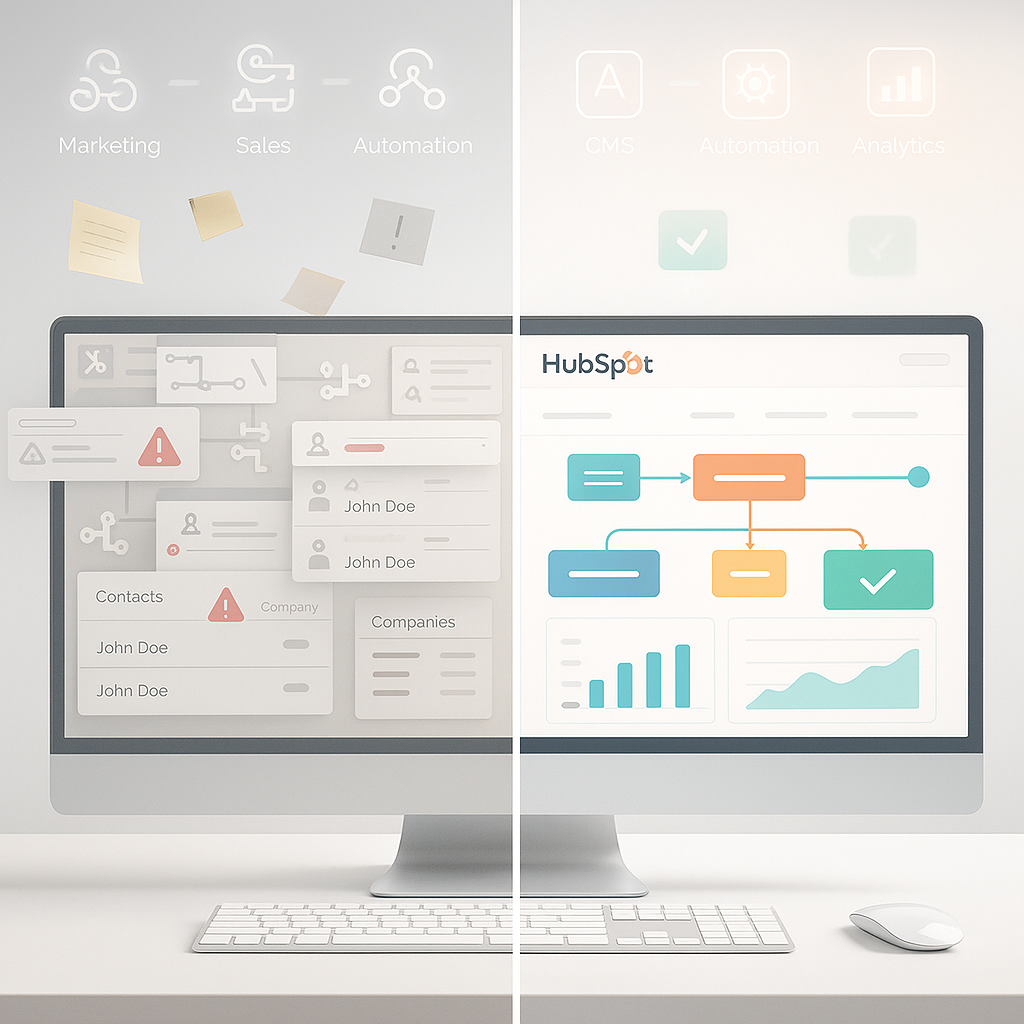
If your HubSpot account feels more like a cluttered inbox than a powerful CRM, you're not alone. For many small and mid-sized businesses, keeping HubSpot organized is a constant drag. Automation breaks. Reports get ignored. Your team spends hours fixing data instead of closing deals.

According to HubSpot's 2025 State of Marketing Report, 57% of marketers cite maintaining accurate CRM data as their biggest challenge. That’s not a minor glitch. It’s a direct hit to performance. This guide will show you why HubSpot admin support matters, how it fixes what’s broken, and why ignoring it puts your CRM investment at risk.


What Is HubSpot Admin Support?

HubSpot admin support is the hands-on management of your HubSpot portal. It covers everything from cleaning CRM data to fixing automation errors to setting up users correctly. The goal is straightforward: ensure your HubSpot platform effectively supports your sales and marketing teams.

A HubSpot administrator keeps the system efficient by managing tasks like database structure, user roles, property naming, workflow timing, and dashboard setup. This kind of support eliminates bottlenecks, reduces time spent on manual fixes, and protects your CRM investment.

Without the right admin support, most HubSpot portals become cluttered, unreliable, and difficult to use. Sales teams stop trusting the data. Marketing campaigns fail to trigger. Leadership can’t pull useful reports. Admin support prevents this breakdown by enforcing structure and applying best practices.

HubSpot Admin vs. Power User

A HubSpot admin manages the system at a technical level. They assess workflows, fix configuration issues, update properties, and handle platform integration. A power user might know how to send emails or run reports, but they don’t maintain the system behind the scenes.

If your business depends on HubSpot to drive revenue, it’s important to have someone responsible for optimization and consistency. That’s the role of a real HubSpot administrator.

Hire In-House or Choose a HubSpot Support Partner?

Hiring a full-time HubSpot admin gives you control but comes with salary, onboarding, and long-term commitment. For most SMBs, the better option is to partner with a HubSpot specialist who can plug into your team immediately.

A good support partner brings experience, follows proven processes, and can start fixing issues on day one. You get admin support as a service, led by experts who align with your business goals and scale as your needs evolve.


Core Responsibilities of a HubSpot Administrator

A HubSpot administrator keeps your CRM running as a strategic tool—not just a data warehouse. Their work supports everything from inbound marketing campaigns to accurate revenue tracking. Without this role, even the best software turns into a slow, error-prone system that drains your team’s time and attention.

Here are the key responsibilities every SMB should expect from the right HubSpot admin: 

Maintain a Clean CRM Database

Every marketing initiative depends on clean data. Admins remove duplicates, standardize property fields, fix formatting issues, and validate contact records. These tasks improve segmentation, shorten reporting cycles, and reduce errors across the sales hub.

Set User Permissions and Team Roles

Admins manage how team members access the HubSpot portal. They assign roles, restrict sensitive data, and structure teams based on how your business operates. This ensures accountability and reduces confusion around who owns what.

Implement and Monitor Workflows

Workflows should reflect your sales stages and marketing goals. Admins build and monitor automation that qualifies leads, assigns tasks, and updates records. They test each step to prevent misfires, delays, or missed handoffs between teams.

Build Strategic Dashboards and Reports

Instead of cluttered views, admins create focused dashboards aligned with your business goals. They identify the right data points, map them to key stages in the pipeline, and present reports that help leaders act with clarity.

Run Ongoing Data Audits

HubSpot data decays fast if no one is watching. Admins schedule regular reviews to identify inactive contacts, update outdated records, and archive bad data. These audits keep the system fast and reliable for everyone using it.

Manage Platform Integrations

Whether you're using service hubs, email tools, or analytics software, a HubSpot admin ensures everything connects smoothly. They fix broken syncs, map fields correctly, and monitor the data exchange between HubSpot and third-party platforms.


5 Signs You Need a HubSpot Admin to Fix Your CRM

Most SMBs wait too long to get help with their HubSpot portal. Problems start small, like a broken form or a missing field, but quickly grow into major disruptions. Campaigns stall, reporting breaks down, and internal teams waste hours patching problems that shouldn’t exist in the first place.

Here’s how to identify when it’s time to hire a HubSpot admin or bring in a HubSpot specialist to fix the root problems.

1. Your CRM Is a Mess

If your CRM feels cluttered and hard to trust, it probably is. Teams may complain about duplicate contacts, blank fields, outdated lead info, or inconsistent naming. These issues waste time, hurt deliverability, and make it nearly impossible to run effective segmentation or scoring.

A HubSpot admin brings the discipline and process needed to maintain a reliable data framework. They implement property standards, merge duplicates, and define rules that prevent new problems from piling up. The result is a CRM your team can actually use.

2. Reports Can’t Be Trusted

If your dashboards are full of broken filters, skewed data, or missing metrics, your leadership team is making decisions with partial visibility. Marketing can’t measure performance. Sales can’t be forecast accurately. Customer service can’t identify where the pipeline breaks down.

A strong admin assesses your current reporting structure, maps each metric to a clear business goal, and rebuilds dashboards that deliver actionable insights—not noise. They turn reporting into a strategic tool, not just a visual placeholder.

3. Workflows Don’t Work

Automation is supposed to save time, but only if it’s working properly. If leads aren’t assigned, emails don’t send, or deals don’t update as they move through the funnel, you’re losing both time and prospects.

HubSpot admins audit every step of your automation. They find the root cause of failures, rebuild logic flows, and fine-tune how each step performs. A well-implemented workflow reduces manual tasks, shortens response times, and keeps your pipeline moving.

4. New Users Struggle to Onboard

If onboarding feels like guesswork, your system isn’t set up for scale. Users should know where to click, what fields matter, and how to complete their tasks with confidence. When that doesn’t happen, people start creating their own rules, or worse, they stop using the tool altogether.

A HubSpot admin builds a repeatable onboarding system. They set up user roles, document processes, and deliver training that reduces confusion. This keeps your team aligned and productive, especially as your business grows.

5. Sales and Marketing Can’t Align

When sales and marketing teams customize HubSpot independently, the result is data chaos. Properties don’t match, automation conflicts, and reporting breaks down across stages. Misalignment leads to finger-pointing, inefficiency, and lost revenue.

An experienced HubSpot admin acts as the extension of your team that brings everything together. They enforce naming conventions, standardize pipeline stages, and ensure both teams work from the same set of rules.

This creates a system that supports collaboration, not conflict. If these problems sound familiar, it may be time to get hands-on HubSpot admin support before they impact your pipeline further.


Should You Hire a HubSpot Admin or Partner With a Specialist?

When your HubSpot portal starts creating more problems than solutions, you have two options: hire an internal HubSpot administrator or bring in outside expertise. The decision isn’t just about cost. It’s about how quickly you need results, how complex your setup is, and what level of support your team actually needs.

Here’s how to assess which path fits your business.

Compare the Cost and Speed

As of November 01, 2025, the average salary for a HubSpot Administrator in the United States is $90,092 per year, which breaks down to an hourly rate of $43, according to data from Salary.com. That doesn’t include onboarding time, management, or the cost of turnover. If you're not using the platform at an enterprise scale, that spend is hard to justify.

Working with a certified partner or contractor gives you flexible access to senior-level expertise. You can start quickly, target your most urgent issues, and avoid the overhead of a new employee. For SMBs, this is often the fastest route to getting your HubSpot portal back on track.

Evaluate Skill Set and Implementation Readiness

Training someone internally to manage HubSpot takes time. And even then, it’s hard to cover every skill. Admins need to master CRM structure, workflows, reporting tools, integrations, and more.

A HubSpot specialist is already trained. They bring proven experience in technical setup, process optimization, and custom implementation. You can assign work confidently without walking them through how the system works.

Consider Scalability and Operational Flexibility

An internal hire is static. They’re full-time, whether your needs grow or shrink. If your team only needs part-time support or help during implementation stages, you may find yourself paying for unused capacity.

External support scales with your workload. You get help when you need it. Whether during a CRM overhaul, a marketing automation launch, or a reporting audit. This flexibility is especially useful when you’re adjusting to new priorities, campaigns, or customer growth.

Think About Risk and Continuity

When one person holds all your CRM knowledge, you create a single point of failure. If your HubSpot admin quits or goes on leave, your system and your pipeline can stall.

External partners document everything. They set up repeatable processes, build dashboards your team can use independently, and ensure continuity even when roles change. That consistency can be the difference between daily momentum and weeks of downtime.


How to Choose the Right HubSpot Admin Support Partner

Choosing the right HubSpot partner matters. Your CRM is a daily operational tool for your teams, so you need support that treats it with care and precision.

What to Look For in a HubSpot Admin Specialist

Certifications help, but case studies prove real skill. A qualified partner should show clear examples of cleaned databases, repaired workflows, and improved reporting structures. If they can’t explain how they achieved results, they don’t have the depth you need.

The right partner tailors recommendations to your team size, usage level, and business goals. They also understand how to implement changes safely and document their work so your team stays informed.

Questions to Ask Before You Hire

Ask how they clean a messy portal without disrupting automation. Follow up by asking how they rebuild workflows, maintain data quality, and align reports with leadership goals. Finally, make sure they document their work so your team can operate confidently after changes are made.

Structured answers signal competence. Vague answers signal risk.

Red Flags to Avoid

Avoid partners who rely on templates or generic playbooks. Avoid anyone who lists HubSpot admin work as a minor service. Avoid providers who struggle to explain their audit process or maintenance approach. You need a partner who focuses on HubSpot admin support and treats your portal like a core part of your revenue operation.


Don’t Let Your HubSpot Account Fall Behind

HubSpot only delivers value when it’s properly configured and maintained. Admin support ensures your data is clean, your workflows are reliable, and your teams can work efficiently.

Whether you’re scaling fast or just trying to make sense of the mess, now is the time to act. The longer you wait, the harder it becomes to untangle broken automation, inconsistent reporting, and user confusion.

Get expert help from SmithDigital’s HubSpot Admin Support team and take back control of your CRM today.

How to Choose the Right HubSpot Website Design Agency for Your Business Goals

How to Choose the Right HubSpot Website Design Agency for Your Business Goals

Your website drives your first impressions, your lead quality, and your sales pipeline. So why do so many businesses still treat it like a secondary...

Read More
How to Customize Your Website with HubSpot CMS from Start to Finish

7 min read

How to Customize Your Website with HubSpot CMS from Start to Finish

If you build or manage websites, you’ve likely dealt with slow load times, rigid templates, or workarounds that don’t...

Read More
Unlock Higher Conversions: Why You Need a HubSpot Web Designer

Unlock Higher Conversions: Why You Need a HubSpot Web Designer

You’ve invested in SEO, ads, and content. But your website still leaks leads. Why? Because traffic is only half the equation. What happens after...

Read More