
How to Choose the Right HubSpot Website Design Agency for Your Business Goals
Your website drives your first impressions, your lead quality, and your sales pipeline. So why do so many businesses still treat it like a secondary...
%20(23).png?width=302&height=302&name=_SD%20web%20assets%202025%20(500%20x%20500%20px)%20(23).png)
If you manage a website on HubSpot CMS, you already know the platform offers strong built-in security features such as SSL, CDN support, and certification around ISO 27001 compliance. But what many organisations fail to prioritise is governance: controlling who can access what, auditing actions, and governing third-party scripts.
According to Verizon’s 2024 DBIR, 77% of Basic Web Application Attack breaches involve stolen credentials (Figure 41). For marketing ops, IT, and web admins on HubSpot, that stat should hit hard. With multiple teams publishing content and varied integrations in play, weak access control opens the door to major breaches.
In this guide, you’ll find a clear, actionable checklist. You’ll learn how to set roles and permissions, enforce single sign-on, monitor activity logs, control script usage, and align with compliance obligations. By the end, you’ll have a layout to lock down your HubSpot CMS environment and validate your website security ahead of 2026.
Poor access governance is a leading security weakness in HubSpot CMS. Whether you’re aligning with ISO 27001, preparing for a SOC 2 Type II audit, or safeguarding customer data, permission control is non-negotiable. Your defense starts with role-based access control, least privilege enforcement, and clearly defined responsibilities across teams.
Every role should map directly to what a user needs to do. Avoid one-off permission sets. Instead, assign roles like “CRM Analyst” or “Landing Page Editor” with scoped access across HubSpot’s CRM, marketing tools, and reports. HubSpot allows central control over these roles, reducing the risk of permission creep and making audits easier. (HubSpot User Permissions Guide)
Limiting access to only what’s required helps reduce the risk of accidental data loss, internal misuse, and workflow disruptions. The fewer permissions a user holds, the less damage a compromised account can cause.
HubSpot’s default roles are rarely the right fit. They’re broad and often give access to tools that users never touch. Instead, use the custom role builder to create roles aligned with specific functions.
Each custom role should be named clearly and assigned to an owner with a documented history of changes. Avoid vague labels like “Ops Team” or “All Access,” which obscure accountability. Structured roles support audit readiness and improve response when a security issue occurs.
User access changes more often than teams realize. Contractors leave, agencies rotate out, and responsibilities shift. Without regular reviews, outdated roles accumulate and increase exposure to misuse or breach.
Build a 90-day review cycle into your operations. Export your HubSpot user list, match each account to current job duties, and remove anything that no longer fits. Use HubSpot activity logs to support this review, but don’t rely on automation alone. SmithDigital’s HubSpot Admin Support Services can help manage manual reviews and ensure permission hygiene aligns with your audit-readiness goals.
Security oversight breaks down quickly when ownership is undefined. Define who manages what:
Clear division of responsibility ensures security issues are addressed without overlap or omission. When auditors request proof of access control, you’ll have the documentation and ownership structure ready to show.
Strong permission hygiene is not an optional best practice. It’s a foundational requirement for every secure HubSpot CMS deployment.
Stolen credentials remain one of the most common causes of CMS breaches. Without strong authentication, even the best CMS configuration becomes irrelevant. HubSpot supports enterprise-grade identity controls, but they only work if your team activates and governs them correctly.
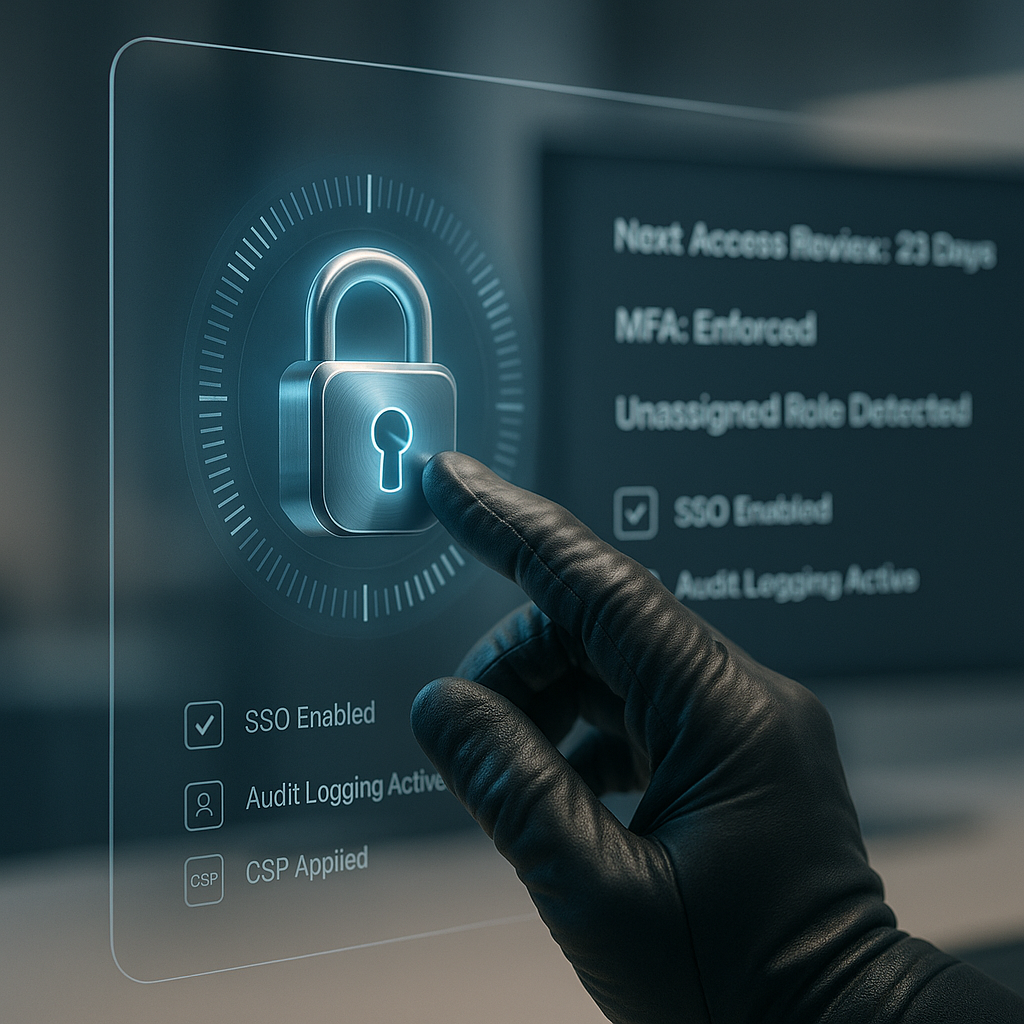
HubSpot supports SAML-based SSO through providers like Okta, Azure AD, and Google Workspace. You’ll need a Professional or Enterprise account to access this feature. Once SSO is active, disable regular HubSpot login for all users except one fallback admin.
SSO allows your identity provider (IdP) to manage password policies, access lifespans, and user revocation in a centralized way. It also helps ensure compliance with ISO 27001 and SOC 2 by providing a unified audit trail of user access across platforms.
Single sign-on centralizes control, but it doesn’t verify user identity. That’s what multi-factor authentication (MFA) is for. Always enforce MFA through your IdP, and ensure it applies to every HubSpot session, even if the initial login starts elsewhere.
MFA reduces the risk of credential-based attacks, which accounted for over 70% of basic web application breaches in 2024. Without MFA, one compromised password could expose your CRM systems, customer data, and connected marketing tools.
Authentication isn’t a one-time setup. Identity controls need regular review, especially as teams change roles, external vendors cycle in, or compliance frameworks update.
Use IP whitelisting to restrict logins to corporate environments. Review login activity for unusual locations or unrecognized devices. Check that session expiration, password policies, and deprovisioning workflows are enforced upstream.
These aren’t just best practices. They’re basic requirements to secure HubSpot, reduce breach exposure, and align with your broader cybersecurity strategy.
You can’t respond to a security threat if you never saw it coming. HubSpot offers basic audit logs, but without proactive review, potential breaches go unnoticed. For any team using HubSpot CMS at scale, log visibility and analysis must be built into your security strategy.
Super Admins can view activity logs directly from the settings panel. You’ll see events like logins, permission changes, content edits, deletions, and portal settings updates. Filter these logs by user or event type to isolate unusual behavior tied to sensitive workflows or customer data.
These logs are essential for regulatory alignment. If you’re operating under ISO 27001 or SOC 2, SmithDigital’s HubSpot Admin Support can help implement structured access reviews and logging protocols that stand up to audit scrutiny. Skipping this step makes compliance nearly impossible.
HubSpot’s logs don’t catch everything. Actions like email opens, third-party app usage, template downloads, and some automated workflow executions often fall outside the logging scope. This leaves gaps that attackers, or negligent users, can exploit without triggering alerts.
To close those gaps, integrate your HubSpot data into a security monitoring platform. Tools like Splunk, Datadog, or Microsoft Sentinel can ingest HubSpot logs and combine them with network, identity, and CDN activity to detect patterns in real time. This is critical for identifying vulnerabilities across your content delivery network and the broader CMS stack.
Not every log event needs investigation, but some absolutely do. Trigger a manual review if you detect:
Establish thresholds in your playbook. For example, more than two role changes per day or any access from outside your approved geo-zone triggers a security review. These are the cues that let your team respond before a minor issue becomes a full-blown incident.
Audit logs are not just compliance tools. They are an active safeguard against breaches, data loss, and internal misuse. Use them to track patterns, enforce accountability, and secure the HubSpot platform before attackers or auditors do it for you.
Most CMS security incidents don’t start with a brute-force login. They start with unreviewed scripts. HubSpot CMS lets teams embed custom code directly into pages, templates, and headers. Without strict controls, this flexibility becomes a threat vector. Your file governance strategy should treat every third-party script as a potential breach point.
Many marketing teams use embedded codes from analytics, chatbots, or ad platforms. These scripts often get pasted directly into the header or body of HubSpot web pages without any audit or vetting.
This practice introduces security vulnerabilities, especially when scripts call external resources or modify the DOM. Bad actors can use this to steal session data, interfere with form submissions, or load malicious content from compromised CDNs. To reduce risk, maintain a centralized script register and sandbox new scripts before deployment. At a minimum, audit all embeds quarterly.
HubSpot’s Script Manager lets you deploy JavaScript globally across your site. Limit this feature to trusted administrators only. Every script should be tagged with metadata: who added it, what it does, and when it was last reviewed.
Outdated scripts tied to deprecated tools or campaigns should be removed. Leaving unused code in production increases your exposure to third-party vulnerabilities and creates noise that complicates incident response.
If you're considering a website refresh or partnering with a new agency, check out this list of the best HubSpot web design companies for 2026 to ensure you’re working with partners who prioritise clean, secure builds. This is one of the simplest security best practices to implement, yet one of the most overlooked.
Inline scripts bypass traditional web application firewall protections. That’s why modern security frameworks discourage them. To enforce safer script usage in HubSpot, configure Content Security Policy (CSP) headers via your content delivery network (CDN).
This allows you to define which sources of executable code are permitted and blocks everything else. Combined with SSL, proper CSP enforcement helps protect sensitive customer data and aligns your CMS with common security standards used across compliant CMS platforms.
File-level governance often gets ignored because it doesn’t feel urgent until a breach exposes customer data through an old chat widget or tracking pixel. Trust HubSpot’s flexibility, but enforce controls that reflect a real commitment to security.
HubSpot CMS is not a full backup solution. While the platform offers infrastructure-level protection, it does not provide site-wide rollback or user-facing content recovery. If your homepage disappears, you’re on your own unless you’ve built a safety net.
HubSpot maintains internal backups to safeguard platform stability. These cover large-scale system failures and data center issues. But for users, there is no accessible backup or recovery system for individual assets, modules, or templates.
That means if a team member deletes a key landing page or overwrites a theme file, HubSpot’s support may not be able to restore it. HubSpot’s security strategy focuses on platform uptime. Not content-level recovery. This is a common security gap across CMS platforms, and it shifts the responsibility to you.
To protect your CMS data, use third-party tools that integrate with HubSpot and back up content automatically. Tools like Rewind or Backupify capture blog posts, templates, design manager files, and more on a set schedule.
Manual exports are better than nothing, but they introduce risk. If you forget to export before pushing changes or lose track of downloaded files, there’s no fallback. For compliance in HubSpot environments subject to ISO 27001 or SOC 2, reliable version history and rollback capability are non-negotiable.
Developers should never rely on HubSpot alone for template management. Store your coded files in GitHub or a private Git repository. Use version control to track changes, tag releases, and roll back quickly during deployment failures.
HubSpot CMS offers limited versioning inside Design Manager, but it’s not built for structured workflows. If you’re deploying updates across web pages or testing personalization logic, version control is your foundation for secure content delivery.
Backup systems and versioning tools are more than operational conveniences. They are part of your information security framework. Without them, you increase exposure to human error, breach fallout, and compliance violations.
Download the SmithDigital HubSpot CMS Security Checklist
Want a simple way to implement all the key takeaways from this guide? Download the checklist for a quick-reference summary of the most critical steps for securing your HubSpot CMS environment in 2026 and beyond. Perfect for sharing with your team or guiding your next security sprint.
By 2026, every misconfigured role, unreviewed script, or unmonitored login will be a risk you can’t ignore. HubSpot CMS includes powerful security tools, but you must actively configure and govern them.
Real security comes from discipline, not plugins. Build workflows that include access reviews, script governance, and log monitoring as routine, not reaction.
If your setup needs expert eyes, book a FREE HubSpot Discovery Call. The SmithDigital HubSpot Admin Support team will help you secure what matters and prove you're audit-ready.
Your website drives your first impressions, your lead quality, and your sales pipeline. So why do so many businesses still treat it like a secondary...
7 min read
Running SEO for a site that still struggles to rank, even with consistent content and solid backlinks? You might be dealing with a design...
8 min read
Thinking about moving your site to HubSpot CMS? It’s a smart move, but only if it’s done right. Many migrations seem simple until rankings...