
<img src="https://secure.seat6worn.com/219576.png" style="display:none;">

8 min read

New to HubSpot Reporting? Build Reports That Show Real Performance

Are you flying blind when it comes to revenue operations? If you're relying on gut feel or fragmented spreadsheets instead of real data, you're leaving serious money on the table. According to a 2024 survey, more than a quarter of global data teams say poor data quality costs their organization over $5 million each year (Forrester).

For RevOps leaders, that statistic is a warning and an opportunity. HubSpot Reporting converts raw CRM, marketing, sales, and service data into actionable insights. It delivers a unified view across the funnel, helping you track performance, identify bottlenecks, and prove impact.

This guide will show you how to build effective dashboards, set up reports that matter, unlock attribution insights, and monitor KPIs across your RevOps stack. By the end, you’ll know how to build reports that reveal what’s working, what’s broken, and where to focus next.

Understanding HubSpot Reporting Basics

Effective HubSpot reporting starts with knowing which reports exist, what data they use, and how to apply them to decisions. This section breaks down the tools HubSpot offers and how they fit into a RevOps workflow.

What Reporting Tools Does HubSpot Offer?

HubSpot reporting is built around two core tools: standard reports and custom reports.

Standard reports are templated views that cover common metrics. You can track email performance, contact creation, deal pipeline health, and customer service activity without any setup. They’re useful for quick visibility into marketing and sales trends.

Custom reports let you create detailed visualizations across different data sources in your HubSpot account. You can build reports using a single object, such as contacts or deals, or combine multiple objects to show relationships across your funnel. Funnel reports, attribution reports, and customer journey reports are all available within the custom report builder.

If you're just getting started with HubSpot reporting, begin with single-object reports. These are easier to configure and give you a foundation to expand into more complex reporting later.

What Metrics and Data Does HubSpot Use?

HubSpot pulls data from across the entire CRM, giving you a full view of your marketing, sales, and service activities. Reports are powered by contact records, deal pipelines, email interactions, landing page submissions, and ticket histories. RevOps teams typically track performance indicators like:

  • Lead-to-customer conversion rate
  • Sales funnel velocity
  • Email engagement by lifecycle stage
  • Revenue per marketing campaign
  • Time to close the deal by the owner

HubSpot analytics depend on clean data. If your CRM is filled with duplicates, incomplete fields, or inconsistent naming, your reports will mislead you. Make data hygiene a regular part of your reporting process.

How Does HubSpot Compare to Other Reporting Tools?

HubSpot is easier to use than most enterprise reporting platforms. You can create a report or dashboard without technical help, which makes it ideal for fast-moving teams. The interface is intuitive, and reports can be built in minutes.

However, HubSpot has limitations when you need deep customization or advanced forecasting. Tools like Salesforce offer more configurability, and platforms like Looker or Supermetrics are better suited for multi-platform data blending. But for core RevOps reporting, HubSpot strikes a strong balance between functionality and usability.

The reporting capabilities in HubSpot provide a centralized, data-driven view of your entire customer journey. With the right setup, you can use HubSpot dashboards to track performance, identify areas to optimize, and make informed decisions that drive growth.

Setting Up Effective Dashboards in HubSpot

Dashboards in HubSpot give your team a real-time view of performance across marketing, sales, and service. But without a clear structure, most dashboards fail. They become cluttered, ignored, or misunderstood. To use HubSpot reporting effectively, you need dashboards built for clarity, not just data.

Match the Dashboard to the Team

Each team works differently, and your dashboards should reflect that. HubSpot allows you to build dashboards with targeted reporting for each function.

Sales teams should track metrics like pipeline progression, deal velocity, and activity by rep. Marketing teams need visibility into lead generation, campaign results, website traffic, and conversion rates. Service teams rely on reporting that shows ticket trends, resolution speed, and customer satisfaction indicators.

Use descriptive names that reflect the purpose, such as “Sales Forecasting” or “Marketing Attribution Overview.” Assign permissions carefully to keep dashboards secure and relevant to each audience.

How to Create a HubSpot Dashboard

To build a dashboard in HubSpot:

  1. Navigate to Reports > Dashboards

  2. Click Create Dashboard

  3. Choose a template or create a blank one

  4. Add existing reports or build new ones using the Add Report tool

  5. Organize content by priority. Top-level KPIs first, detailed views below

You can create custom reports on the fly or pull saved ones from your report library. A typical dashboard might start with deal revenue by stage, followed by a funnel report showing MQL to SQL conversion, then end with detailed views of campaign engagement.

Use consistent visual formatting and clear labeling to make navigation easier.

Dashboard Design That Drives Decisions

A good dashboard should provide answers at a glance. Limit each to 8–10 high-impact reports. Review them monthly to remove outdated or unused content. Choose visuals based on the story you’re telling. You can use bar charts for comparisons, line charts for trends, and tables for breakdowns.

Avoid mixing unrelated data. If a dashboard serves multiple teams, separate sections visually and keep context clear. Every chart or metric should have a reason to be there.

Effective HubSpot reporting begins with dashboards that support fast interpretation and confident action. Build with focus. Keep it current. And make sure your data speaks to the decisions your team needs to make.

Attribution Reporting in HubSpot

Attribution reporting gives RevOps teams visibility into what actually drives results. It connects marketing efforts, sales activities, and customer behaviors across the funnel, so you can stop guessing and start making decisions that are backed by data.

Why Attribution Matters in HubSpot

Without attribution, there’s no way to measure the real impact of your campaigns. You need to know which blog posts generate leads, which ads convert, and how each touchpoint contributes to sales performance.

HubSpot’s reporting capabilities support this level of analysis. Attribution reporting helps you optimize your marketing strategies, adjust budgets with precision, and improve alignment between sales and marketing.

It also surfaces breakdowns in execution. When reporting reveals weak conversion paths or low-value channels, your team can act quickly to adjust before they affect the pipeline.

Using Multi-Touch Attribution Models in HubSpot

HubSpot supports multiple attribution models through the Custom Report Builder, including first touch, last touch, linear, U-shaped, W-shaped, and time decay. These models assign weighted credit to touchpoints across the customer journey.

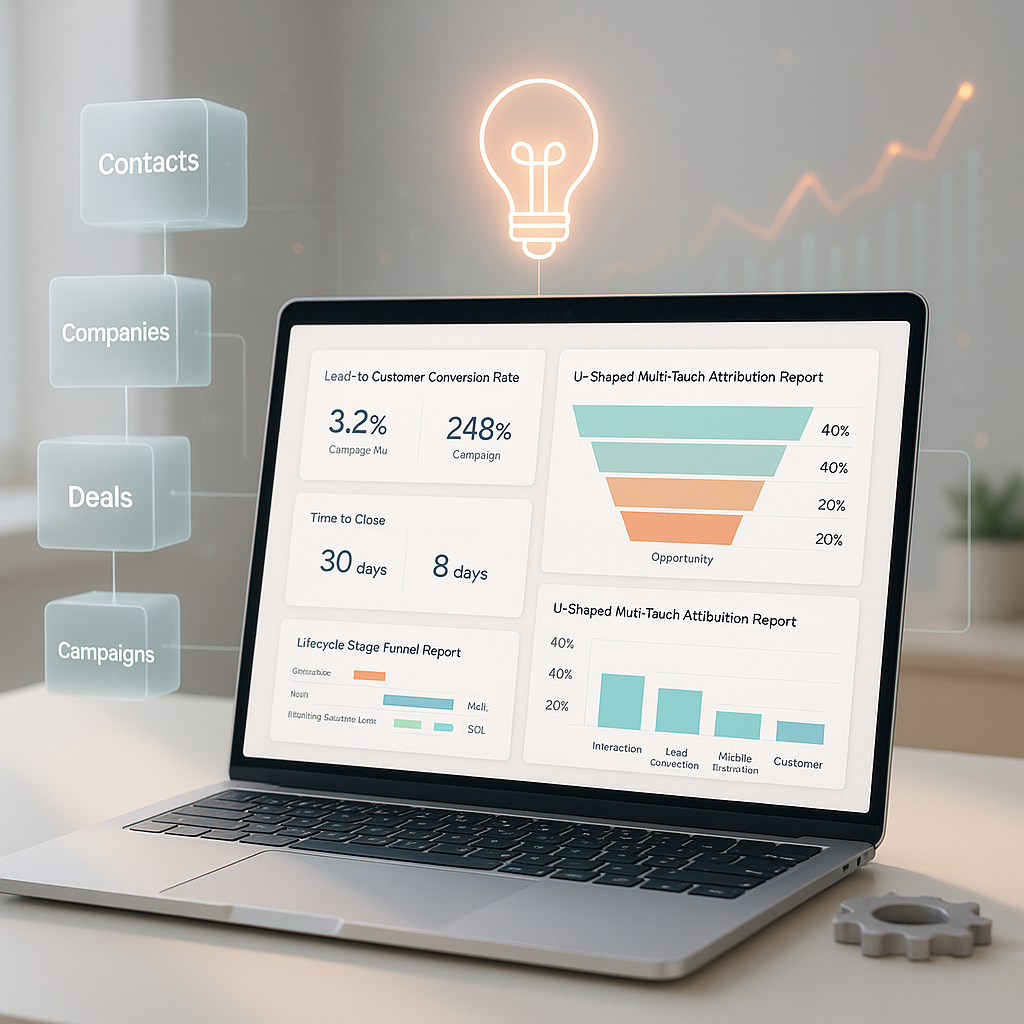
For example, the U-shaped model allocates 40% to the first interaction, 40% to lead conversion, and 20% to everything in between. This structure highlights both early-stage engagement and the touchpoint that turns a prospect into a qualified lead. It’s a balanced view of funnel influence (ProperExpression, Usermaven).

Use HubSpot’s attribution reporting features to create reports segmented by campaign, channel, content asset, or lifecycle stage. You can create custom reports that show real ROI by source, format, or funnel position.

The more granular your segmentation, the easier it is to optimize your marketing and improve campaign performance.

Performance Tracking and Optimization

HubSpot reporting is only valuable if it drives action. To improve performance, you need to track the right metrics, spot conversion gaps, and automate insights for faster decisions.

Define KPIs That Actually Signal Success

Start by choosing a few specific KPIs for each campaign. For marketing teams, this might include lead volume, cost per lead (CPL), or landing page conversion rate. Sales teams often track time to close, win rate, or average deal value.

Use HubSpot reporting dashboards to connect KPIs to campaigns, content, and funnel stages. Skip the vanity metrics and focus on performance indicators that reflect buyer intent and pipeline health.

When your KPIs are clear and relevant, HubSpot's reporting capabilities help you measure results and pivot quickly when needed.

Monitor Funnel Health with Lifecycle Stage Reporting

HubSpot tracks how contacts move through lifecycle stages from Subscriber, Lead, MQL, SQL, Opportunity, and Customer. Funnel reports show where prospects progress, stall, and how long each stage takes.

Use the custom report builder to create reports that show conversion rates between stages, delays by source, or outcomes by campaign. These insights provide a full-funnel view that supports both sales and marketing decisions.

For sharper visibility, pair single-object reports (like contact-based engagement) with funnel reports that cover multi-stage behavior. This reveals breakdowns in campaign performance and helps identify where to optimize your marketing efforts.

Automate Reports to Keep the Team Aligned

Manual reporting slows teams down. HubSpot allows you to schedule dashboards to be emailed weekly to stakeholders. This keeps metrics top of mind and removes the need for constant check-ins.

You can also use workflows to trigger alerts when key metrics shift. Set conditions like a drop in conversion rate or a spike in unqualified leads. These alerts drive faster response times and help keep campaigns on track.

Automated reporting ensures everyone stays informed, without the delay of manual updates or end-of-month reviews.

Advanced Reporting Use Cases

Once you’ve built a foundation with standard reports and dashboards, HubSpot’s advanced features let you go deeper. These capabilities help RevOps teams track more complex relationships, bring in external data, and improve cross-functional collaboration.

Use Custom Objects to Track More Than the Basics

Not every business metric fits neatly into contacts, companies, or deals. Custom objects allow you to model data specific to your operation, such as contracts, renewals, event registrations, or product usage. These fields live in your HubSpot CRM and can be reported on like any other object.

By using cross-object reports, you can analyze relationships that span across departments. For example, you might compare contract renewals to customer satisfaction scores or track how event attendance influences deal size.

This type of reporting provides context that single-object views cannot, allowing teams to spot patterns across the entire customer lifecycle.

Bring External Data Into HubSpot Reports

Your most valuable insights may live outside HubSpot. Connecting platforms like Salesforce, Google Analytics, Snowflake, or your marketing attribution tool allows you to enrich your reports with more complete data.

HubSpot reporting tools can incorporate this information into custom dashboards. Blend website performance with CRM metrics to see how organic traffic supports deal creation. Pull in third-party revenue data to validate campaign impact.

This creates a more accurate, comprehensive view of marketing performance, sales outcomes, and overall revenue contribution.

Align Sales, Marketing, and Service with Unified Dashboards

HubSpot dashboards are not just for siloed teams. When designed well, they bring sales, marketing, and service data together into a shared view. This is critical for spotting friction, missed handoffs, and misaligned goals.

Build dashboards that show lifecycle transitions, such as MQL to SQL conversions or time-to-contact by the sales team. Include support ticket volume and resolution speed alongside renewal rates to connect service activity to revenue.

These dashboards improve accountability, streamline collaboration, and allow leaders to make informed decisions based on the full customer experience.

Tools and Integrations for Better Reporting

HubSpot offers robust native reporting, but as your data needs grow, you may need to expand your toolkit. Whether you’re building cross-platform dashboards or scaling your analytics, the right tools make a big difference.

Unlock More with HubSpot’s Native Reporting Tools

Start with what HubSpot provides out of the box. The Custom Report Builder lets you filter across objects, apply advanced logic, and build attribution models that connect activity to outcomes. It’s ideal for RevOps teams that need visibility into lifecycle progression, revenue trends, or campaign effectiveness.

Operations Hub adds even more capabilities, including data sync, custom-coded fields, and calculated properties. These features support automated reporting and deeper segmentation, especially when standard reports fall short.

Connect External Tools for a Broader View

Third-party platforms like Databox, Supermetrics, and Klipfolio integrate with HubSpot and other systems to provide consolidated dashboards. These tools are especially helpful when combining HubSpot CRM data with ad performance, revenue from your billing platform, or marketing analytics from tools like Google Analytics.

For example, Databox allows you to pull in metrics from HubSpot, Facebook Ads, and Stripe, all into one dashboard. This helps RevOps teams monitor the full buyer journey and act faster.

When Native Reporting Isn’t Enough

HubSpot is powerful, but it has limits. If your reporting needs include predictive analytics, advanced forecasting, or highly customized data pipelines, it may be time to look at business intelligence platforms like Looker, Power BI, or Tableau.

But not every team has the time or capacity to configure complex reporting setups in-house. If that sounds familiar, SmithDigital’s HubSpot Admin Support can help. Our admins build custom dashboards, optimize reporting workflows, and ensure your team gets the insights they need without the technical overhead.

Conclusion: Get More from HubSpot Reporting

HubSpot’s reporting tools give RevOps leaders the visibility they need, but only if the setup matches the strategy. From dashboards and attribution to lifecycle tracking and cross-object reports, the platform can reveal what’s working and what needs fixing.

But data doesn’t become insight by accident. Clean CRM inputs, smart dashboard design, and focused KPIs are the difference between performance visibility and digital noise. If your reporting feels overwhelming or underpowered, it’s time to step back and rebuild it with intention.

Need help configuring custom reports, building effective dashboards, or just cleaning up your CRM? Request HubSpot Admin Support from SmithDigital and make your reporting work for you.

The Secret Pages Fueling Google AI Results (And Why Yours Might Be Invisible)

The Secret Pages Fueling Google AI Results (And Why Yours Might Be Invisible)

Can Deep Pages Enhance Your Google Visibility? 5 Key Insights from AI Overview Research Search engines are evolving. Recent findings from the...

Read More
When Was the Last Time You Cleaned Up Your HubSpot CRM?

When Was the Last Time You Cleaned Up Your HubSpot CRM?

A messy HubSpot CRM kills productivity.

Read More
What Is a BDR? How Business Development Representatives Accelerate Sales & ROI

What Is a BDR? How Business Development Representatives Accelerate Sales & ROI

Looking for a quick way to maximize your marketing spend? Perhaps adding a Business Development Representative (BDR) or a Sales Development...

Read More