
<img src="https://secure.seat6worn.com/219576.png" style="display:none;">

22 min read

WordPress vs HubSpot CMS in 2026: The Surprising Winner for SEO, AI, and Growth

Choosing between HubSpot CMS and WordPress is one of the most important decisions businesses face when building a website. WordPress is the world’s most popular open-source platform, powering over 43% of all sites, while HubSpot CMS Hub is a newer but rapidly growing system designed to integrate seamlessly with marketing, sales, and CRM tools.

Both platforms offer strong functionality but cater to different needs: WordPress provides unlimited flexibility with themes and plugins, while HubSpot CMS offers a tightly integrated marketing ecosystem with built-in SEO, CRM, and analytics. Additionally, HubSpot reports it now serves more than 288,000 customers globally, which helps explain why more B2B teams are evaluating whether a content management system should also support CRM visibility, inbound marketing execution, and cleaner reporting without a heavy plugin stack.

In this article, we’ll explore WordPress vs HubSpot CMS in terms of customization, SEO, CRM, analytics, integrations, plugins, community, and long-term business impact.

By the end, you’ll have a clear framework to decide whether HubSpot or WordPress is the right CMS for your business.

P.S. If your team is considering a move into the HubSpot ecosystem, the biggest issues usually show up before launch in migration planning, CMS structure, and how the site connects to forms, CRM data, and reporting. Smith Digital helps B2B teams handle that transition through HubSpot CMS Migration Services and HubSpot Marketing Hub Onboarding, built around real marketing and sales workflows.

Book a strategy session to map your migration scope, protect rankings, and prevent reporting gaps before launch.

Quick Comparison Table

Comparison Area

HubSpot CMS

WordPress

Core Platform Model

Hosted content management system built inside the broader HubSpot ecosystem with CRM, analytics, and inbound marketing tools connected natively.

An open-source platform that gives teams broad control over hosting, code, themes, and plugins, but requires more technical ownership.

Theme Customization

Uses a structured, modular theme system with drag-and-drop editing, global modules, and marketer-friendly page management.

Offers thousands of themes and deep code-level flexibility, which is useful when a developer needs to customize almost every layer.

SEO Tools And Marketing Strategies

Includes built-in SEO tools, content recommendations, native redirects, automatic XML sitemaps, CDN-backed performance, and direct connection to forms and CRM reporting.

Can support advanced SEO through plugins like Yoast or Rank Math, but usually depends on hosting quality, plugin stack, and more active technical oversight.

AI And Automation

Offers native AI tools for content creation, remixing, translation, narration, and website support inside one platform.

Relies on third-party plugins or external tools for AI functionality, which adds more setup and compatibility risk.

CRM And Analytics

Connects natively to HubSpot CRM and centralizes visitor activity, lead capture, lifecycle movement, and campaign analytics in one system.

Requires integrations with external CRM and analytics tools, which can work well but usually involve more setup and validation.

Platform Functionality

Covers drag-and-drop editing, built-in SEO, content staging, adaptive testing, hosting, and security inside the same CMS platform.

Supports broad functionality through plugins and custom builds, including blogging, e-commerce, memberships, and other extensions.

Plugins Vs Built-In Tools

Handles many core marketing and conversion tasks through built-in tools like forms, landing pages, and lead capture modules.

Extends functionality through a large plugin ecosystem, which offers flexibility but can create maintenance and compatibility issues over time.

Integration Capabilities

Works best when the business wants tight integration with the HubSpot ecosystem and fewer moving parts across marketing and CRM.

Gives teams more flexibility for niche tools, APIs, and custom third-party integrations across a broader stack.

Security And Maintenance

HubSpot manages hosting, SSL, monitoring, and core platform upkeep, which reduces ongoing technical overhead.

Security depends on hosting, patching, plugin review, backups, and active maintenance discipline from the team or developer.

Day-To-Day Marketing Use

Better fit for teams that want marketers to publish, update, and manage conversion paths without relying heavily on developers.

Can work well for marketers, too, but only when the WordPress site, theme, and plugin stack are governed carefully.

Cost And Ownership

Higher visible subscription cost, but includes infrastructure, CRM integration, analytics, built-in SEO tools, and less plugin dependence.

Lower entry cost at the software level, but ongoing costs often include hosting, premium themes, plugins, developer time, and QA overhead.

Conversion Paths And Lead Handoff

Easier to manage forms, CTAs, CRM routing, lifecycle stages, and attribution logic in a unified system.

Can support strong conversion paths, but often needs more integration work and governance to keep tracking and routing clean.

Best Fit

Best for growth-focused businesses that want a secure CMS, inbound marketing support, and tighter reporting across website and CRM.

Best for teams with strong technical capabilities, custom requirements, and the resources to manage a more flexible open-source environment.


WordPress vs HubSpot: Understanding the Core Differences

image-png-Aug-21-2025-11-39-50-7476-AM

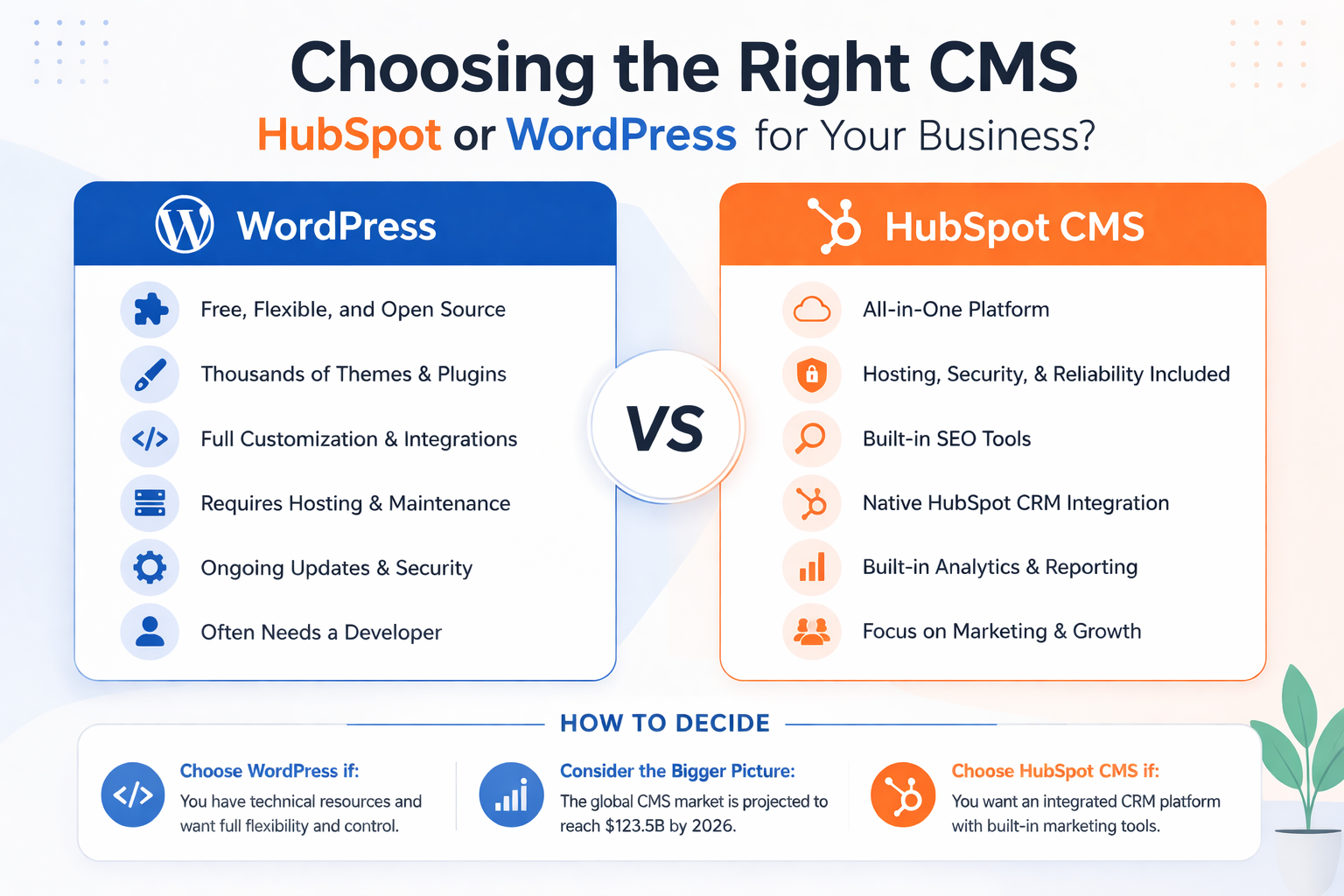
When comparing WordPress vs HubSpot, the first distinction lies in how each platform is built. WordPress is an open-source platform, meaning anyone can use, modify, and extend it. This flexibility is why WordPress is one of the most widely adopted systems globally. In fact, WordPress powers 43.2% of all websites on the internet (W3Techs). You can host a WordPress website anywhere, use thousands of themes and plugins, and hire a WordPress developer to customize almost every detail.

HubSpot CMS, by contrast, is a hosted content management system designed to work as part of the broader HubSpot ecosystem. HubSpot provides everything in one place: the CMS, HubSpot CRM, analytics, and inbound marketing tools. Unlike WordPress, HubSpot doesn’t rely on third-party plugins for core functionality. Instead, HubSpot CMS provides built-in SEO tools, drag-and-drop editing, and integration with marketing automation out of the box.

The choice between HubSpot CMS and WordPress often comes down to priorities. If you need maximum flexibility, low entry cost, and don’t mind managing hosting and security, WordPress offers an unmatched range of options. But if you want a secure CMS that integrates natively with a CRM platform and marketing strategies, HubSpot may be the better fit.

Takeaway: WordPress offers more control and flexibility, but HubSpot CMS delivers a unified, hosted platform with built-in CRM, SEO, and security — ideal for businesses focused on growth, not tech overhead.

The Role of WordPress Themes in Customization

Both HubSpot and WordPress leverage themes to accelerate website deployment and simplify content management — but their approaches to customization are fundamentally different.

WordPress offers a vast library of themes, ranging from free options to complex premium frameworks. These can be used out of the box or extended using page builders like Elementor or Divi. WordPress’s open-source flexibility allows developers to fully customize the code, templates, and functionality behind each theme. For businesses with strong in-house development teams, this level of control is a key advantage.

HubSpot CMS, by contrast, uses a modular theme-based system that prioritizes consistency, ease of use, and speed. Themes in HubSpot include global modules, drag-and-drop layout editing, and built-in responsiveness — all designed to help marketers launch pages quickly without relying on developers. While technically less open-ended than WordPress, HubSpot’s theme structure is more scalable for marketing teams that prioritize agility and brand consistency.

At SmithDigital, we specialize in building sites with the Clean Theme for HubSpot, one of the most popular and conversion-focused themes in the ecosystem. As one of Clean’s leading deployment partners, we help brands get to market faster with high-performing designs that are easy to manage and easy to scale. If you’re exploring a HubSpot CMS deployment, our Clean Theme Web Design Services are purpose-built to help you launch quickly — without sacrificing performance or polish.

Whether you prioritize full-code flexibility or marketing team independence, both platforms provide strong theming capabilities. The key difference lies in how each system balances customization with usability — and which approach better supports your content, team, and growth strategy.

Read Next:

Pro Tip: If you need full-code control, WordPress is the better fit. But for teams prioritizing speed, consistency, and ease of use, HubSpot’s theme system — especially when paired with Clean Theme — is the more efficient choice.

HubSpot vs WordPress: SEO Tools and Marketing Strategies

SEO Comparison Point

HubSpot CMS

WordPress

Built-In SEO

Includes built-in SEO recommendations, metadata controls, XML sitemaps, and CDN-backed delivery

Usually depends on plugins like Yoast or Rank Math, plus the theme and hosting quality

Technical Governance

More centralized because hosting, redirects, and core platform controls live together

More flexible, but spread across plugins, hosting, server settings, and developer workflow

Publishing At Scale

Easier for marketers to launch and update pages without rebuilding the stack around them

Can work well, but publishing quality often depends on plugin stability and template consistency

Reporting Continuity

Stronger native connection between content, forms, CRM, and analytics

Often requires a separate analytics setup and QA across multiple tools

Failure Risk

Fewer moving parts for core SEO functionality

Higher if redirects, schema, performance, or metadata rely on separate tools with uneven oversight


For most businesses, the CMS decision hinges heavily on marketing outcomes. In this area, HubSpot CMS offers a distinct advantage by bundling built-in SEO tools, content strategy recommendations, and analytics directly within the platform. Beyond keyword suggestions and page-level optimization tips, HubSpot’s SEO Recommendations tool audits the entire site for issues like missing metadata, broken links, and slow-loading pages. Canonical tags and meta robots can be set directly within the page editor, while automatic XML sitemaps and a global CDN simplify indexation and performance management. Because these features are natively integrated with HubSpot’s CRM and automation tools, aligning SEO with lead generation campaigns is almost frictionless.

WordPress, meanwhile, relies on plugins such as Yoast or Rank Math to deliver comparable functionality. These plugins go deeper than HubSpot in some respects—for instance, Yoast automatically generates a complete schema graph (Organization, Website, Article, Breadcrumb) and provides granular control over canonicals, hreflang, and robots directives. However, they are third-party solutions that must be configured and maintained. WordPress core includes basic XML sitemaps, but most site owners still depend on plugins to handle metadata, structured data, redirects, and advanced sitemap management. This creates flexibility for developers but adds complexity for marketers who prefer a turnkey setup.

Where HubSpot shines is in governance and migrations. Redirects can be managed through a built-in interface with support for bulk imports and pattern rules, reducing the risk of broken links during a replatform or IA change. WordPress offers powerful redirect management as well, but it usually requires plugins or server-level configuration, increasing the chance of missteps without strong technical oversight.

Performance is another critical ranking factor. Google’s Core Web Vitals—especially Largest Contentful Paint (LCP) and Cumulative Layout Shift (CLS)—remain central to rankings in 2025. HubSpot optimizes this automatically with built-in hosting, SSL, caching, and even prerendering of pages to speed up delivery across its global CDN. WordPress performance is less predictable: with enterprise-grade hosting, a CDN, image optimization, and careful theme/plugin selection, WordPress sites can be equally fast. But without those guardrails, performance can degrade quickly, hurting rankings.

Finally, for international SEO, HubSpot includes multilingual content variations that automatically generate hreflang tags and clean language-specific URLs. WordPress can achieve the same results with WPML or Polylang, but those add-ons introduce more complexity and performance considerations.

Read Next:

Pro Tip: For predictable performance and easier technical SEO management, HubSpot’s native hosting, CDN, and optimization tools offer a major advantage. WordPress can match these results, but only with the right hosting, theme, and plugin stack — and that requires ongoing oversight.

AI and Automation: A Growing Differentiator in 2025

One of the most significant developments shaping the CMS landscape in 2025 is the evolution of AI-powered content and automation tools. HubSpot has aggressively expanded its native AI suite, making it far more than just a CMS. Today, HubSpot CMS offers AI capabilities that power nearly every stage of content creation and optimization, including:

  • AI Website Generator
  • AI Blog Post Narration
  • AI Content Agent (creates landing pages, blogs, podcasts, and case studies)
  • AI Content Assistant
  • AI Brand Kit
  • AI Content Remix
  • AI Translations
  • Multilingual Content Management

This means marketing teams can not only generate content faster but also remix it for different formats, manage
multiple languages, and narrate blog posts without third-party tools or dev support. These tools are embedded directly in HubSpot’s ecosystem — ensuring everything ties back to CRM data, analytics, and personalization.

WordPress, by comparison, does not include native AI functionality. Users must rely on third-party plugins for content generation, SEO assistance, or translations — and these vary widely in quality, reliability, and compatibility. Managing multiple plugins for each function adds both complexity and risk.

In short, HubSpot CMS delivers a complete AI marketing engine, while WordPress remains dependent on an external ecosystem that requires more technical management and lacks cohesion.

Read Next: SEO in the Age of AI: What’s Actually Changed (and What Hasn’t)

Key Insight: HubSpot clearly leads in AI. With built-in tools for content generation, personalization, and translation, it eliminates the need for third-party plugins and manual workflows.

CRM and Analytics: How HubSpot and WordPress Handle Data

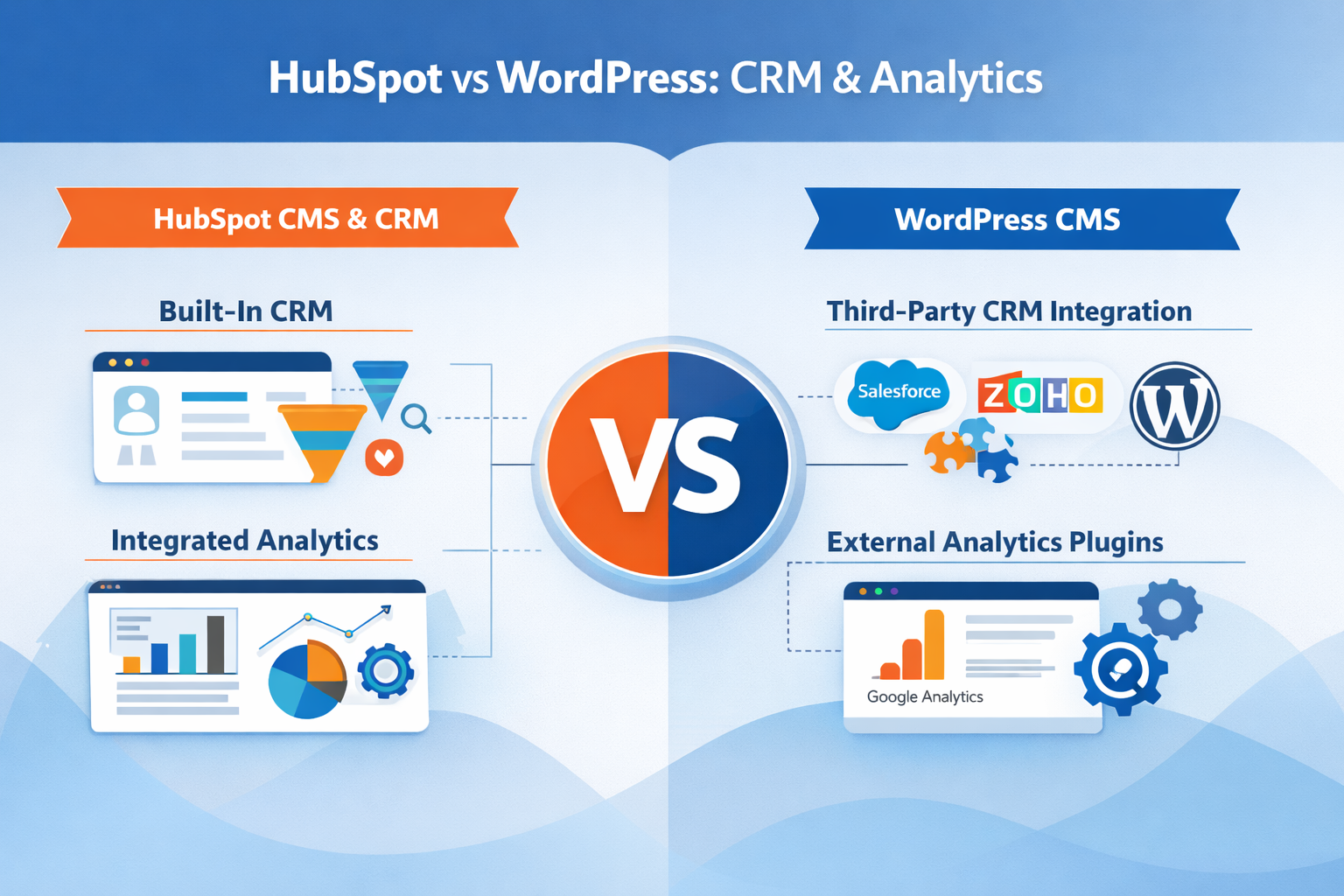
When evaluating HubSpot vs WordPress CMS, CRM, and analytics are major differentiators. HubSpot CMS connects natively to the HubSpot CRM platform, providing unified data on website visitors, leads, and customer journeys. This integration with HubSpot CRM allows marketers to personalize content, trigger automated campaigns, and view detailed analytics from one dashboard.

CRM and Analytics - How HubSpot and WordPress Handle Data

WordPress, by contrast, does not have a built-in CRM. Instead, WordPress users must integrate with external CRM systems, whether HubSpot CRM, Salesforce, Zoho, or others. While integrations are possible, they often require plugins or third-party connectors, which add complexity.

Analytics follows a similar pattern. HubSpot provides robust built-in analytics for page performance, conversions, and campaigns. WordPress requires integration with Google Analytics or other tools, which works well but requires setup and maintenance. For businesses that prioritize simplicity and centralized reporting, HubSpot CMS provides a more complete experience out of the box.

Takeaway: HubSpot wins on simplicity and integration. Everything from lead tracking to campaign analytics is centralized. WordPress requires external tools and manual connections to achieve similar results.

Planning a Move to HubSpot CMS? Make Sure Your Migration Is Structured Correctly From Day One

Most issues show up after launch: broken tracking, lost rankings, or disconnected CRM data. Fixing them later is harder than getting the migration right upfront.


What a Clean CRM Setup Looks Like After Choosing a Content Management System

A clean setup usually defines specific operational rules before new pages and forms go live. That includes lifecycle stage definitions, lead-status rules, source tracking logic, contact ownership, required properties on form submissions, routing criteria, and the point at which a marketing lead becomes sales-ready. In a WordPress and HubSpot setup, those rules often depend on a WordPress plugin, form integration, hidden fields, and external analytics tags all working together cleanly. In HubSpot CMS, more of that logic lives inside the same platform, which makes validation easier.

This is also where consulting matters. If the team plans to use HubSpot as the CRM platform and content management system together, the portal should be structured around real go-to-market workflows rather than default settings. That means documenting which forms create contacts, which properties matter for segmentation, how meetings are handed off, and what reporting leadership expects to see by source, lifecycle stage, and conversion path. Smith Digital’s HubSpot consulting services are relevant when the goal is to improve portal structure across inbound marketing, conversion paths, sales execution, reporting, and governance.

  • Lifecycle Definitions: Confirm when a lead becomes MQL, SQL, opportunity, or customer so reporting does not change team to team.

  • Form Field Governance: Decide which fields are required, which are hidden, and which drive routing, segmentation, or follow-up.

  • Source Tracking Logic: Validate UTMs, source properties, referral logic, and campaign naming so attribution holds up in pipeline review.

  • Ownership Rules: Document who owns new leads, how reassignment works, and when sales accepts or rejects a handoff.

  • Sales Handoff Criteria: Require role, pain point, trigger, and agreed next step before a meeting is passed forward.

  • Dashboard Trust Checks: Compare CRM reports, form counts, and campaign analytics to confirm that conversion data reconciles cleanly.

Read Next:

Security, Updates, and Ongoing Maintenance Responsibilities

Platform functionality should also be judged by who owns the hidden work after launch. WordPress is an open-source platform, and that flexibility comes with maintenance obligations: WordPress hosting, plugin review, theme updates, core updates, backups, SSL, uptime monitoring, and security remediation. A WordPress website can be stable for years, but only if someone is actively managing those layers and checking for conflicts when plugins like Yoast, security plugins, forms, redirects, or caching tools change.

That maintenance burden is one of the clearest differences between WordPress vs HubSpot CMS. HubSpot provides the hosted infrastructure, security monitoring, SSL, and many core CMS features without requiring a separate patching process. Since HubSpot doesn’t depend on the same level of third-party tooling for essential functionality, there are fewer compatibility points to monitor. For teams without a dedicated WordPress developer or in-house web operations lead, that reduction in overhead can matter more than maximum flexibility.

  • Hosting Ownership: Confirm who manages server performance, caching, SSL renewals, backups, and uptime alerts.

  • Plugin Governance: Maintain an approved plugin list, review updates, and remove tools no longer in use.

  • Patch Discipline: Schedule core, theme, and plugin updates with staging checks before production rollout.

  • Security Monitoring: Watch login attempts, malware risk, dependency vulnerabilities, and permission drift.

  • Form Reliability Checks: Test form submissions, notifications, CRM sync, and thank-you tracking after updates.

  • Analytics Validation: Reconcile event tracking and conversion reporting after any plugin, theme, or script change.

HubSpot CMS and WordPress: Comparing Platform Functionality

At its core, a CMS platform needs to deliver strong functionality for content creation and management. WordPress is one of the most flexible CMS platforms available, offering thousands of themes and plugins, and enabling developers to create custom features. WordPress provides blogging, e-commerce via WooCommerce, membership systems, and more through third-party extensions.

HubSpot CMS and WordPress - Comparing Platform Functionality

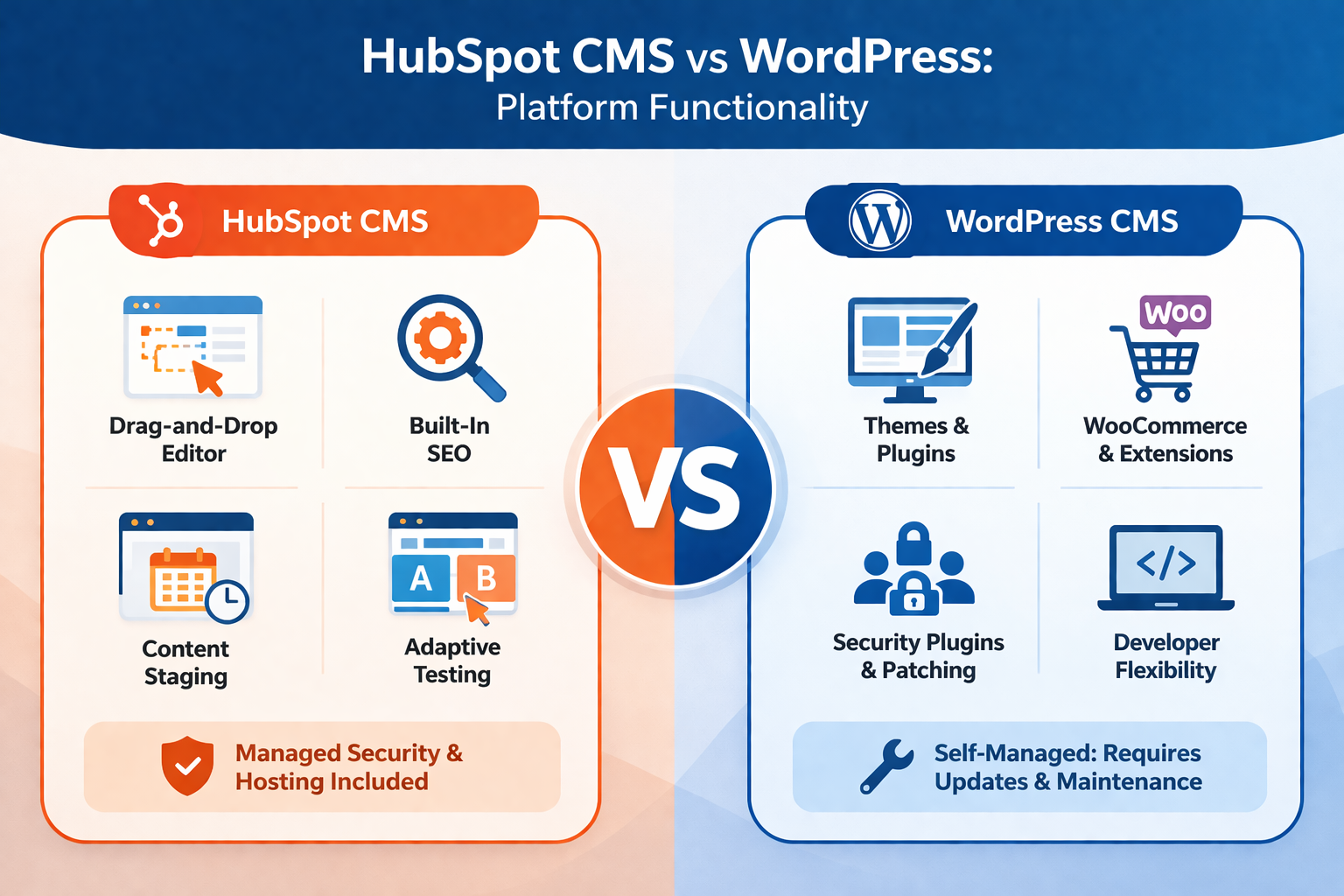
HubSpot CMS offers a different model. While it doesn’t have the same breadth of third-party plugins, HubSpot CMS offers a drag-and-drop editor, built-in SEO, content staging, and adaptive testing as part of its functionality. HubSpot CMS takes the complexity out of managing updates, security plugins, and hosting. Since HubSpot provides the entire infrastructure, businesses don’t need to worry about WordPress installation, hosting, or third-party maintenance.

Security is another area where HubSpot CMS provides peace of mind. HubSpot handles updates, SSL, and monitoring as part of its SaaS infrastructure. WordPress requires security plugins and ongoing patching, as its popularity makes it one of the most targeted platforms for attacks. Businesses without dedicated technical support often find HubSpot’s managed security a safer long-term option.

For developers, WordPress gives almost unlimited control, but it comes with responsibility. A WordPress site requires ongoing updates, security monitoring, and sometimes developer intervention. HubSpot CMS provides a secure CMS experience for businesses that want marketing teams to focus on growth without managing technical overhead.

Recommendation: WordPress offers more customization at the developer level, but HubSpot delivers a more secure, scalable experience with less maintenance — especially for non-technical teams.

Day-To-Day Content Management for Marketing Teams

The content management system you choose will shape how quickly marketing can build pages, update content, launch campaigns, and fix conversion issues. That daily operating reality often matters more than feature lists. A flexible CMS platform is useful, but only if the team can actually use it without creating delays, rework, or publishing risk.

Operating Question

HubSpot CMS

WordPress

Who Can Launch Pages?

Marketers can usually build and publish using drag-and-drop modules and reusable templates

Often depends on the WordPress theme, page builder, and developer support available

Template Consistency

Global modules and structured themes help maintain layout consistency

Varies widely based on theme quality, page builder setup, and custom code discipline

Editing Speed

Faster for campaign pages, CTA changes, and landing page updates inside one platform

Can be fast, but may slow down if changes require plugin adjustments or template edits

Approval Workflow

Easier to govern when content, forms, and analytics live together

Often managed across CMS, plugins, analytics tools, and external processes

Marketer Independence

Stronger for non-technical teams that need fewer developer handoffs

Strong only when the site is well built, and governance is already in place


WordPress Plugins vs HubSpot Tools: Extending Functionality

The plugin ecosystem is where WordPress shines. A WordPress plugin can add nearly any feature imaginable—e-commerce, membership portals, advanced forms, SEO optimization, or even full CRM integrations. WordPress plugins like WooCommerce, Gravity Forms, and SEO tools extend WordPress far beyond a basic blogging platform. However, relying on plugins can also introduce maintenance challenges, compatibility issues, and security risks if plugins are not updated regularly.

HubSpot doesn’t rely on plugins in the same way. Instead, HubSpot offers built-in tools such as HubSpot forms, landing pages, and lead capture modules that integrate directly with HubSpot CRM. While the HubSpot ecosystem is more limited than the WordPress plugins library, the advantage is consistency. HubSpot tools are updated and supported within the HubSpot CMS Hub, eliminating the need for security plugins or third-party patches.

If your business requires specialized features or wants to create custom applications, WordPress plugins provide unmatched flexibility. But if you prefer reliability and integration without managing third-party dependencies, HubSpot CMS provides a streamlined approach.

Pro Tip: WordPress gives you endless flexibility through plugins — but it comes with added complexity and risk. HubSpot favors consistency, with everything built-in and supported under one platform.

WordPress Plugins vs HubSpot Tools: Extending Functionality

The plugin ecosystem is where WordPress shines. A WordPress plugin can add nearly any feature imaginable—e-commerce, membership portals, advanced forms, SEO optimization, or even full CRM integrations. WordPress plugins like WooCommerce, Gravity Forms, and SEO tools extend WordPress far beyond a basic blogging platform. However, relying on plugins can also introduce maintenance challenges, compatibility issues, and security risks if plugins are not updated regularly.

HubSpot doesn’t rely on plugins in the same way. Instead, HubSpot offers built-in tools such as HubSpot forms, landing pages, and lead capture modules that integrate directly with HubSpot CRM. While the HubSpot ecosystem is more limited than the WordPress plugins library, the advantage is consistency. HubSpot tools are updated and supported within the HubSpot CMS Hub, eliminating the need for security plugins or third-party patches.

If your business requires specialized features or wants to create custom applications, WordPress plugins provide unmatched flexibility. But if you prefer reliability and integration without managing third-party dependencies, HubSpot CMS provides a streamlined approach.

Integration Capabilities: How Each Platform Connects with Your Tech Stack

Modern businesses rely on dozens of tools—CRM platforms, email automation, social media, payment processors, and more. Integration is therefore essential when comparing HubSpot and WordPress.

WordPress supports thousands of third-party integrations through plugins and APIs. You can integrate a WordPress website with nearly any system, from HubSpot with WordPress to Shopify, Mailchimp, or Salesforce. Developers can create custom integrations, giving WordPress unmatched flexibility as an integration-friendly platform. However, managing multiple third-party integrations requires oversight to prevent conflicts or downtime.

HubSpot CMS integrates seamlessly with the HubSpot ecosystem and offers pre-built connectors for many major platforms. Integration with HubSpot CRM is native, meaning no setup is required. However, integration options outside the HubSpot ecosystem may be more limited compared to WordPress. HubSpot may not offer every niche integration without custom development or third-party middleware.

Ultimately, if you want guaranteed compatibility with HubSpot tools and CRM, HubSpot CMS provides the cleanest solution. But if your organization has a diverse tech stack requiring dozens of third-party integrations, WordPress may be the more flexible CMS software.

Verdict: Choose WordPress if you have a complex tech stack with many niche tools. Choose HubSpot if you prefer pre-built integrations, especially within the HubSpot ecosystem.

Cost, Ownership, and Long-Term Maintenance

Cost, Ownership, and Long-Term Maintenance

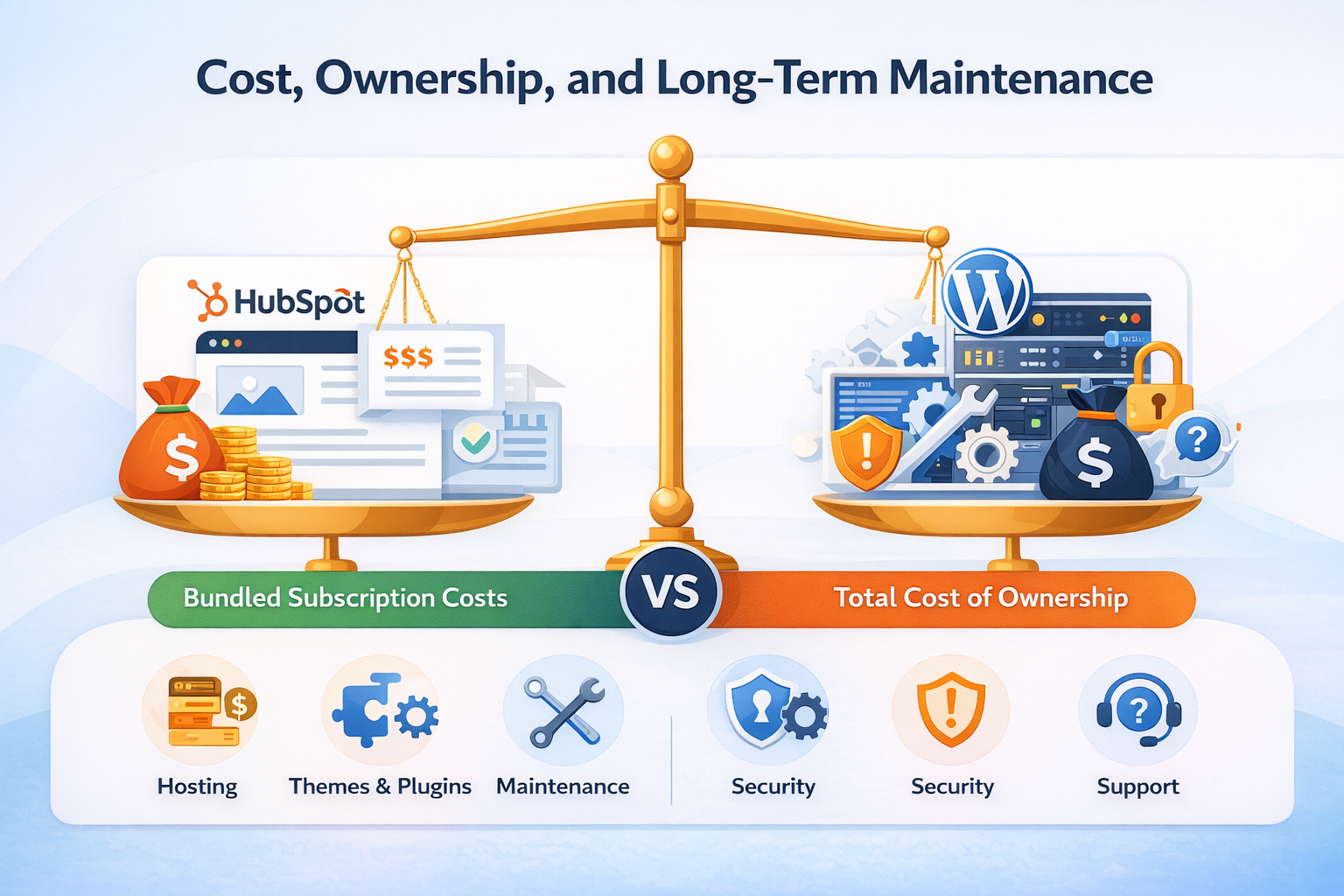
Platform cost gets distorted when teams compare only the software line item. WordPress software is free and open source, but running a WordPress site still typically involves separate decisions and costs around hosting, themes, plugins, maintenance, security, and support. HubSpot’s website platform is sold as part of Content Hub and the broader HubSpot customer platform, with pricing that reflects bundled infrastructure and platform capabilities rather than just the CMS itself.

The more useful comparison is total cost of ownership, not entry price alone. A platform that appears less expensive upfront can become more expensive over time if routine updates, troubleshooting, integrations, and tracking fixes regularly require outside help. A platform with a higher subscription cost may still lower operational burden if it reduces the amount of technical maintenance, vendor coordination, and manual cleanup your team has to manage. This is an operational judgment, not a universal rule, so the right answer depends on your team’s structure and workflow.

What WordPress Actually Costs Once the Site Is Running

A WordPress site can absolutely be cost-effective, but teams should evaluate it based on what they will need to manage after launch, not just what the software costs on day one. WordPress is open source, while hosting, operational support, and many add-on capabilities are typically sourced separately.

  • Hosting Costs: Hosting is usually a separate purchase, and the hosting environment affects uptime, performance, backups, and site administration.

  • Theme Costs: WordPress supports both free and paid themes, and customizations may require design or development support over time.

  • Plugin Costs: Many WordPress sites rely on plugins for SEO, forms, redirects, backups, and security. Some plugins are free, but many commercial plugins or advanced features add recurring costs. WordPress also recommends keeping plugins and themes updated as part of site security and maintenance.

  • Developer Time: Depending on the site setup, teams may need developer support for template changes, custom integrations, bug fixes, or plugin conflicts. That is not required in every WordPress environment, but it is a common operating cost.

  • QA Overhead: Testing forms, analytics, redirects, scripts, and responsive layouts is often an ongoing responsibility, especially when multiple plugins or integrations are involved. This is a reasonable operating consideration even though WordPress does not bundle that work for you.

  • Fix Costs: Emergency troubleshooting after a plugin, theme, or configuration issue can create both direct costs and campaign delays. WordPress’s own guidance emphasizes the importance of updates across core, themes, and plugins, which supports this risk framing.

What You Are Paying For With HubSpot

HubSpot’s website platform is easier to evaluate when you look at what is bundled into the subscription. Content Hub is part of HubSpot’s customer platform, and HubSpot positions it as combining website tools with hosting, security features, and CRM connectivity.

Included capability

Why it matters

HubSpot-hosted infrastructure

Reduces the need to separately manage the hosting environment for HubSpot-hosted content.

CRM connectivity

Helps connect website activity, forms, and contact data inside the broader HubSpot platform.

Website analytics

Gives teams built-in visibility into content and performance within the platform.

Native content and CTA tools

Reduces reliance on a separate plugin stack for common marketing functions.

Security features for hosted content

Lowers some of the operational burden associated with securing and maintaining a self-managed web stack.

SEO capabilities

HubSpot includes SEO-related functionality, but some advanced SEO tools and recommendations are limited to Professional and Enterprise tiers.


How To Compare Total Cost Without Complicating the Decision

A realistic platform comparison should reflect how your team actually operates, not just what appears on a pricing page.

  • Publishing Dependency: How often does marketing need developer support to launch or update important pages?

  • Maintenance Ownership: Who is responsible for updates, integrations, performance issues, hosting administration, and security-related upkeep?

  • Reporting Cleanup: How much time is spent reconciling form submissions, attribution data, and analytics across multiple tools?

  • Campaign Speed: How quickly can the team launch a page, form, CTA, or campaign adjustment when timing matters?

  • Failure Cost: What is the business impact if a form breaks, tracking fails, or a redirect issue goes unnoticed for days or weeks?

  • Team Fit: Does the platform match the technical capacity your team already has, or does it assume skills and bandwidth you may not have?

Community, Developers, and Support Resources

The strength of a CMS is often reflected in its community and developer ecosystem. WordPress is one of the largest open-source communities in the world. There are thousands of developers, agencies, and freelancers specializing in WordPress development. WordPress community support is unmatched, with forums, documentation, and WordCamps around the world. If you need a WordPress developer, you’ll have no shortage of options.

HubSpot, on the other hand, has a growing but smaller community. HubSpot developers specialize in the HubSpot CMS Hub, and HubSpot provides structured resources like HubSpot Academy for training. The benefit of HubSpot is direct access to HubSpot support and a curated developer marketplace. However, the cost of hiring a HubSpot developer may be higher compared to WordPress, simply due to supply and demand.

If you value a global open-source platform with thousands of free plugins and basic WordPress themes to choose from, WordPress is one of the best options. But if you prefer structured training, premium support, and an ecosystem that HubSpot provides directly, HubSpot CMS may be more appealing.

Takeaway: WordPress has the larger open-source community and more developer talent. But HubSpot offers direct support, structured learning, and less day-to-day management.

Choosing the Right CMS: HubSpot or WordPress for Your Business?

When it comes to choosing the right CMS, the decision between WordPress and HubSpot CMS depends on your priorities. WordPress is free, flexible, and supported by thousands of themes and plugins. It allows you to create custom websites and integrate with nearly any system. However, WordPress requires hosting, security plugins, ongoing maintenance, and often a developer to manage updates and customization.

HubSpot CMS, by contrast, offers an all-in-one experience. HubSpot CMS provides hosting, security, built-in SEO, HubSpot CRM, and analytics out of the box. Unlike WordPress, HubSpot doesn’t rely heavily on third-party tools. The trade-off is less customization flexibility and a higher price point, but HubSpot takes care of technical details so marketers can focus on inbound marketing and growth.

Choosing the Right CMS

The decision is also shaped by the industry at large: the global CMS market is projected to reach $123.5 billion by 2026 (MarketsandMarkets). With such rapid growth, businesses are evaluating their CMS choices not only for current needs but also for long-term scalability.

The choice between HubSpot CMS and WordPress should be based on your team’s capabilities. If you have strong technical resources and want a fully flexible CMS, use WordPress. If you want an integrated CRM platform with marketing tools included, use HubSpot CMS.

Summary: WordPress is best for teams with technical capabilities and complex requirements. HubSpot is best for growth-focused businesses that want everything — content, CRM, SEO, and automation — in one place.

Choose WordPress If Your Team Can Own the Technical Stack

WordPress is an open-source content management system, and that matters most when your team is prepared to own what comes with that freedom. A strong WordPress setup usually includes defined hosting ownership, plugin governance, theme QA, update schedules, backups, staging, security review, and someone who can resolve conflicts when a WordPress plugin, form tool, or analytics script breaks. If your business already has that infrastructure, WordPress can be the right CMS.

This is where WordPress vs HubSpot CMS becomes less about features and more about operating model. WordPress gives you broad flexibility to customize templates, integrate niche tools, and create custom functionality. But WordPress requires steady technical oversight. If the site supports multiple plugins like SEO tools, security plugins, page builders, tracking scripts, and custom forms, someone needs to validate how those parts interact after updates. Without that discipline, the WordPress website may still look fine while lead capture, page speed, redirects, or reporting quietly degrade.

Choose WordPress when technical ownership is a feature, not a burden. That usually means you have internal development support, documented QA processes, and a real need for custom workflows or non-standard integrations that go beyond what HubSpot CMS offers natively.

Choose HubSpot If Marketing Needs Speed, Reporting, and Cleaner Operations

HubSpot works best when the website is expected to function as part of a broader revenue system. If marketing needs to publish quickly, run inbound marketing campaigns, connect forms to a CRM, track conversion paths, and maintain reporting without constant developer intervention, HubSpot is often the cleaner fit. Since HubSpot provides hosting, built-in SEO tools, analytics, forms, and the HubSpot CRM in one environment, the path from content to lead to reporting is easier to manage.

That does not mean HubSpot is automatically better for every company. It means the platform is better aligned to teams that value governance, speed, and centralized visibility. A marketer can launch or revise high-intent pages, adjust CTA placements, update HubSpot forms, and review analytics without depending on a stack of third-party tools. If your growth model depends on content, campaign pages, lifecycle tracking, and consistent handoff into sales, those built-in workflows matter.

Final Thoughts on WordPress vs HubSpot CMS

WordPress and HubSpot CMS both deliver powerful website management, but they serve different business needs. WordPress is one of the most flexible CMS platforms, supported by thousands of developers and plugins, making it ideal for businesses that need custom functionality and control. HubSpot CMS offers a secure CMS that integrates directly with HubSpot CRM and marketing tools, making it ideal for organizations that prioritize inbound marketing and want an all-in-one platform.

What’s different in 2025 is how much AI, automation, and performance shape the CMS decision. HubSpot CMS now includes built-in AI for content creation, personalization, and optimization—capabilities that can transform how businesses approach inbound marketing. WordPress can achieve similar results, but only with the right mix of plugins, hosting, and developer expertise. Performance and security also remain central: HubSpot manages these automatically, while WordPress requires ongoing monitoring and updates to stay competitive.

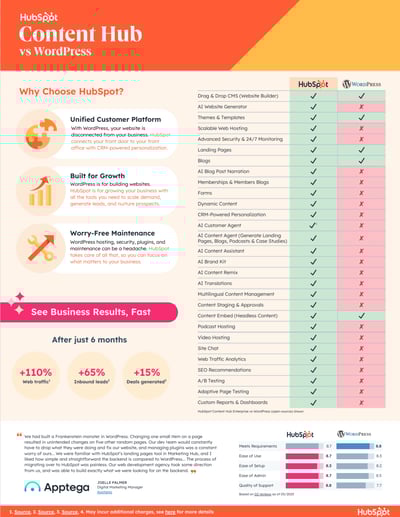
According to a 2025 G2-based buyer comparison, companies that migrated from WordPress to HubSpot CMS reported a 110% increase in web traffic, a 65% increase in inbound leads, and a 15% increase in deals generated within six months. These gains reflect how platform choice directly impacts business performance, not just web design.

Ultimately, the decision comes down to priorities. If your organization values flexibility, independence, and full control, WordPress is one of the strongest open-source platforms available. If you want a future-ready system that combines content, CRM, SEO, AI, and marketing automation in one platform, HubSpot CMS offers a streamlined path.

Both platforms can power a successful website in 2025, but aligning your CMS choice with your growth strategy, technical resources, and marketing goals will ensure you choose the right platform for the years ahead.

Smith Digital helps B2B teams handle HubSpot CMS Migration Services and HubSpot Marketing Hub Onboarding when the goal is to launch with cleaner reporting, stronger conversion paths, and fewer operational issues after go-live.

Book a strategy session to compare migration requirements, protect conversion tracking, and validate your HubSpot rollout plan.

Ready to Simplify Your Website and Scale Faster?

If you’re considering a move from WordPress to HubSpot CMS—or starting fresh with a scalable, CRM-powered website—SmithDigital is here to help. As a top HubSpot Solutions Partner and a leading Clean Theme deployment team, we build high-converting sites that support marketing, sales, and automation from day one.

FAQs 

What are the key differences in HubSpot CMS vs. WordPress?

The biggest difference is the operating model. WordPress is an open-source platform that gives you broad flexibility through themes and plugins, but it also requires hosting, updates, security management, and more hands-on technical oversight. HubSpot CMS is a hosted content management system tied directly to the HubSpot ecosystem, so built-in SEO tools, forms, analytics, and CRM integration are already part of the platform. WordPress offers more freedom at the developer level. HubSpot offers a more centralized setup for teams that want cleaner marketing and reporting workflows.

Is there a HubSpot plugin for WordPress?

Yes. You can connect WordPress and HubSpot through HubSpot’s WordPress plugin, which helps integrate forms, live chat, contact syncing, analytics, and CRM functionality. That can be a good fit if you want to keep a WordPress website while using HubSpot CRM and some HubSpot tools. The trade-off is that you are still managing a split setup. The CMS remains WordPress, while CRM and parts of marketing execution live in HubSpot, so governance and troubleshooting can be more complex than using HubSpot CMS directly.

Which platform offers better SEO features, HubSpot or WordPress?

That depends on how your team manages SEO in practice. WordPress can be extremely strong for SEO when paired with the right hosting, WordPress theme, plugins like Yoast or Rank Math, redirect management, caching, and technical oversight. HubSpot CMS offers built-in SEO tools, hosting, CDN support, and cleaner native integration with analytics and CRM data. If your team wants maximum control, WordPress can be stronger. If your team wants built-in SEO with fewer dependencies, HubSpot is usually easier to manage consistently.

How do HubSpot and WordPress compare in terms of security?

HubSpot provides a more managed security model because hosting, SSL, monitoring, and platform updates are handled within its SaaS infrastructure. WordPress requires a more active security process that may include security plugins, patching, hosting oversight, backup management, and plugin review. WordPress is not inherently insecure, but it does require more operational discipline. Businesses without strong technical support often prefer HubSpot because the baseline security work is handled for them.

Which is better for blogging and blog management: HubSpot or WordPress?

WordPress has long been a leading blogging platform and still gives teams deep flexibility around templates, categories, custom post types, and plugins. HubSpot is often better for businesses that want blogging tied directly to inbound marketing, CRM, forms, CTAs, and campaign reporting. If blogging is part of a broader lead generation motion, HubSpot can be easier to manage. If the blog needs extensive customization or sits inside a larger custom publishing environment, WordPress may be the better fit.

Which is better for landing page creation: HubSpot or WordPress?

HubSpot is usually better for landing page creation when speed, built-in forms, CRM integration, testing, and campaign reporting matter. Marketers can build and publish pages faster without relying as heavily on a developer. WordPress can also create strong landing pages, especially with page builders and plugins, but the process often depends on the quality of the theme, plugin stack, and tracking setup. If landing pages are central to your inbound marketing or campaign workflow, HubSpot generally creates less operational friction.

Which is better for analytics and reporting capabilities: HubSpot or WordPress?

HubSpot generally offers cleaner built-in reporting because website activity, forms, campaigns, and CRM data live closer together. That makes it easier to review page performance, conversion paths, and lead activity from one platform. WordPress typically relies on external analytics tools and integrations, which can still be powerful but require more setup and validation. If centralized reporting and attribution matter to your team, HubSpot usually has the advantage.

Worried a HubSpot CMS Migration Will Hurt Traffic? Here’s the Safer Path

8 min read

Worried a HubSpot CMS Migration Will Hurt Traffic? Here’s the Safer Path

Thinking about moving your site to HubSpot CMS? It’s a smart move, but only if it’s done right. Many migrations seem simple until rankings...


Read More
Is Your HubSpot CMS Secure Enough for 2026?

1 min read

Is Your HubSpot CMS Secure Enough for 2026?

If you manage a website on HubSpot CMS, you already know the platform offers strong built-in security features such as SSL, CDN support, and...

Read More
Want Better Rankings? Here's How HubSpot Web Design Agencies Deliver SEO Results

7 min read

Want Better Rankings? Here's How HubSpot Web Design Agencies Deliver SEO Results

Running SEO for a site that still struggles to rank, even with consistent content and solid backlinks? You might be dealing with a design...

Read More